Your images are working against your search rankings—here's how to fix that.
You've spent hours perfecting your website content, optimizing your meta descriptions, and building quality backlinks. But there's one SEO factor you're probably ignoring entirely: your file names.
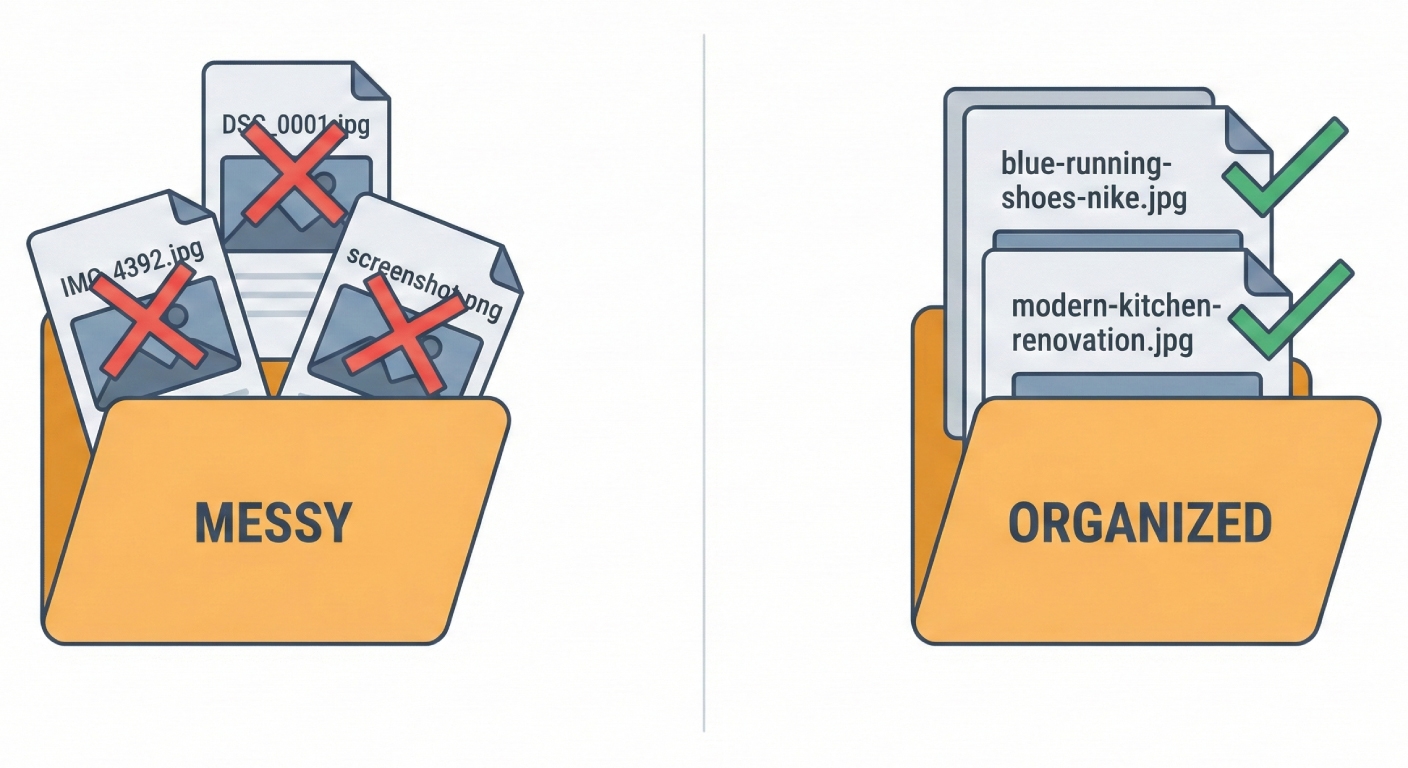
Every time you upload an image named "IMG_4392.jpg" or "Screenshot 2026-01-14.png," you're missing a free opportunity to tell search engines exactly what your content is about. And in 2026, with visual search growing rapidly and Google Images driving significant traffic, that's a mistake you can't afford to keep making.
How Search Engines Read Your File Names
Search engines can't "see" images the way humans do. While AI-powered image recognition has improved dramatically, Google and other search engines still rely heavily on contextual clues to understand what an image contains and whether it's relevant to a search query.
Your file name is one of the first and strongest signals they use.
When you name a file "blue-running-shoes-nike-pegasus.jpg" instead of "product_photo_final_v2.jpg," you're giving search engines clear, indexable information. That file name tells Google:
- This image shows running shoes
- The shoes are blue
- They're Nike Pegasus specifically
This information helps your image appear in relevant searches—and helps the page it's on rank for related keywords.
The Real Traffic You're Leaving on the Table
Google Images accounts for over 20% of all web searches. For product-based businesses, that percentage is even higher. When someone searches for "modern minimalist desk setup" or "before and after kitchen renovation," they often start in image search.
If your images are named descriptively, they can rank for these searches and drive qualified traffic directly to your site. If they're named "DSC0001.jpg," they won't.
Beyond image search, properly named files contribute to your overall page relevance. Search engines use every available signal to understand what a page is about, and file names are part of that equation. A blog post about hiking in Colorado with images named "rocky-mountain-trail-sunrise.jpg" and "colorado-hiking-gear-essentials.jpg" sends stronger topical signals than the same post with generically named files.
What Makes a File Name SEO-Friendly?
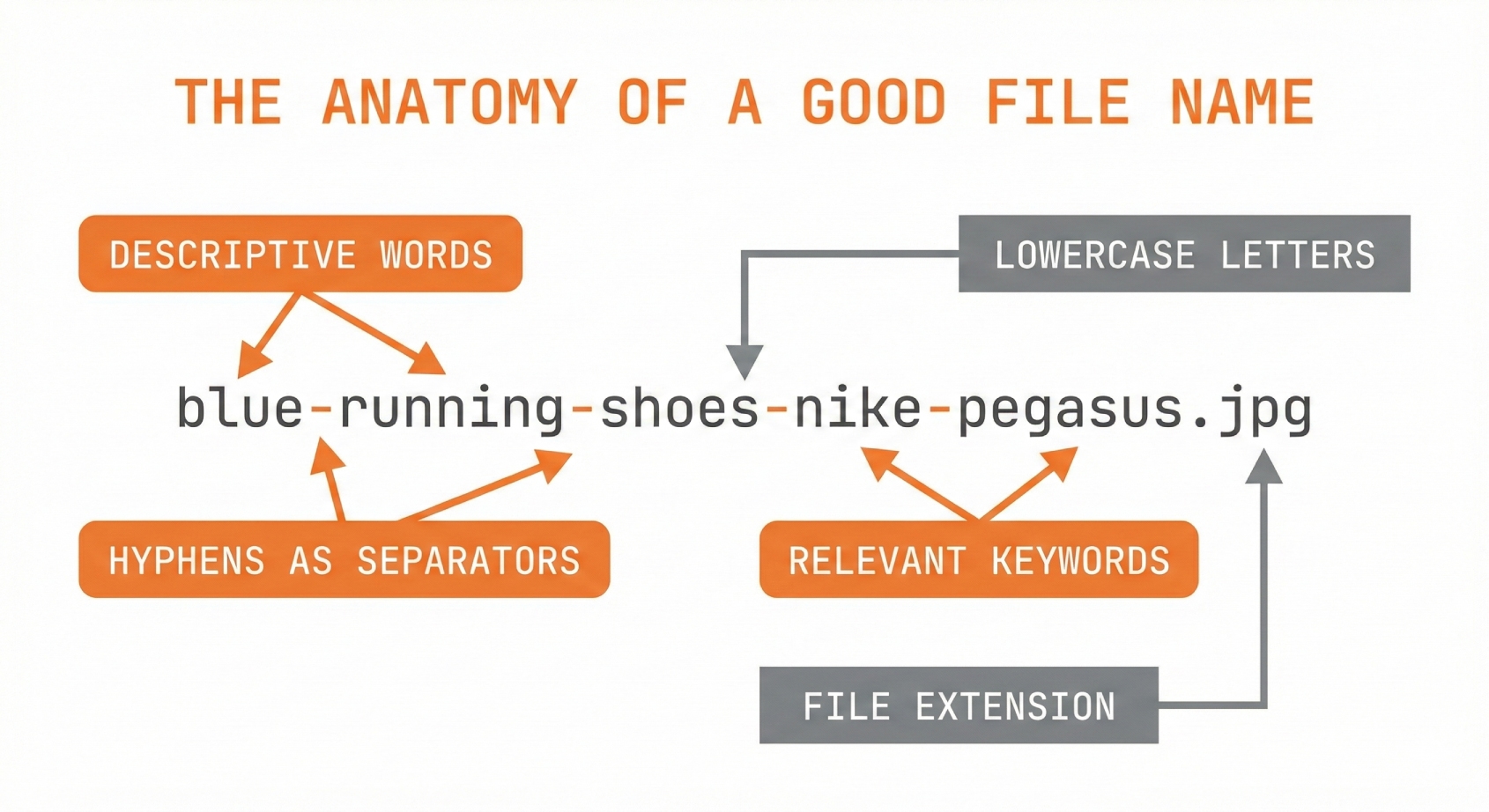
The best file names share a few key characteristics:
Descriptive and specific. Rather than "image1.jpg," use names that describe exactly what's in the image. "Homemade-sourdough-bread-sliced.jpg" tells both users and search engines what they're looking at.
Keyword-rich (but natural). Include relevant keywords that people actually search for. If you're a real estate photographer, "modern-kitchen-white-cabinets-granite-countertops.jpg" captures multiple searchable terms.
Properly formatted. Use hyphens to separate words (not underscores or spaces). Keep everything lowercase. Avoid special characters. These aren't just style preferences—they're how search engines parse file names most effectively.
Concise but complete. Aim for 3-6 words that capture the essence of the image. Long enough to be descriptive, short enough to be readable.
Common File Naming Mistakes That Hurt Your SEO
Camera defaults. Names like "IMG_4521.jpg" or "DSC_0042.CR2" tell search engines nothing. They're the SEO equivalent of a blank page.
Generic descriptions. "Photo.jpg," "image.png," or "screenshot.jpg" are barely better than camera defaults. They waste an opportunity to add relevant keywords.
Keyword stuffing. Going too far in the other direction hurts you too. "Best-cheap-affordable-running-shoes-nike-adidas-2026-buy-now.jpg" looks spammy to search engines and can actually harm your rankings.
Inconsistent formatting. Mixing styles like "Product Photo.jpg," "product_photo.jpg," and "productphoto.jpg" creates a messy, unprofessional impression and makes your files harder to organize.
Spaces and special characters. Spaces get converted to "%20" in URLs, making them ugly and harder to share. Special characters can cause technical issues with some systems.
The Hidden Benefits Beyond SEO
Good file names aren't just about search rankings. They make your entire workflow more efficient.
Easier asset management. When you're searching through thousands of images, descriptive names let you find what you need instantly. "Q4-marketing-campaign-hero-banner.jpg" is infinitely more findable than "final_FINAL_v3_approved.jpg."
Better accessibility. Screen readers often use file names as fallback descriptions. Descriptive names help visually impaired users understand your content even when alt text isn't available.
Professional client deliverables. If you're a photographer, designer, or content creator, sending clients properly named files signals professionalism and attention to detail. It's a small touch that makes a big impression.
Cleaner URLs. Your file names often appear in image URLs. Clean, descriptive names create shareable, professional-looking links.
The Scale Problem: Why Manual Renaming Doesn't Work

Here's the challenge: you know file names matter, but you have thousands of images to manage. Manually renaming each one—thinking through keywords, formatting correctly, staying consistent—takes forever.
Most people try to be disciplined about it for a week or two, then fall back into uploading "IMG_8847.jpg" because they're busy and it's the path of least resistance.
This is exactly why AI-powered renaming tools have become essential for anyone serious about image SEO. Instead of spending hours on tedious manual work, you can batch-process hundreds of images in seconds, with AI analyzing each image and generating optimized, descriptive file names automatically.
The best tools let you maintain consistency across your entire library while customizing the naming style to match your brand and SEO strategy. What used to be a full day of mind-numbing work becomes a few clicks.
Getting Started: A Practical Action Plan
If you're ready to fix your file naming habits, here's where to begin:
Audit your current files. Look through your website's media library. How many files have descriptive names versus camera defaults? This tells you the scope of the problem.
Set a naming convention. Decide on a consistent format for your files. For example: [subject]-[descriptive-details]-[optional-brand].jpg. Write it down and stick to it.
Tackle your backlog. Those existing poorly-named files are hurting your SEO right now. Use a batch renaming tool to process them efficiently rather than trying to rename them one by one.
Build it into your workflow. Make descriptive naming a habit for all new uploads. Whether you rename files immediately after downloading from your camera or use an AI tool to process batches, build the step into your process so it becomes automatic.
Monitor your image traffic. Use Google Search Console to track how your images perform in search. As you improve your file names, you should see image impressions and clicks increase over time.
The Bottom Line
File names are one of the easiest SEO wins available—and one of the most overlooked. Every image on your website is either helping your search rankings or sitting there as a missed opportunity.
The good news is that fixing this doesn't have to be time-consuming. With the right approach and tools, you can optimize your entire image library and build better habits going forward.
Your files deserve better names. Your search rankings will thank you.